
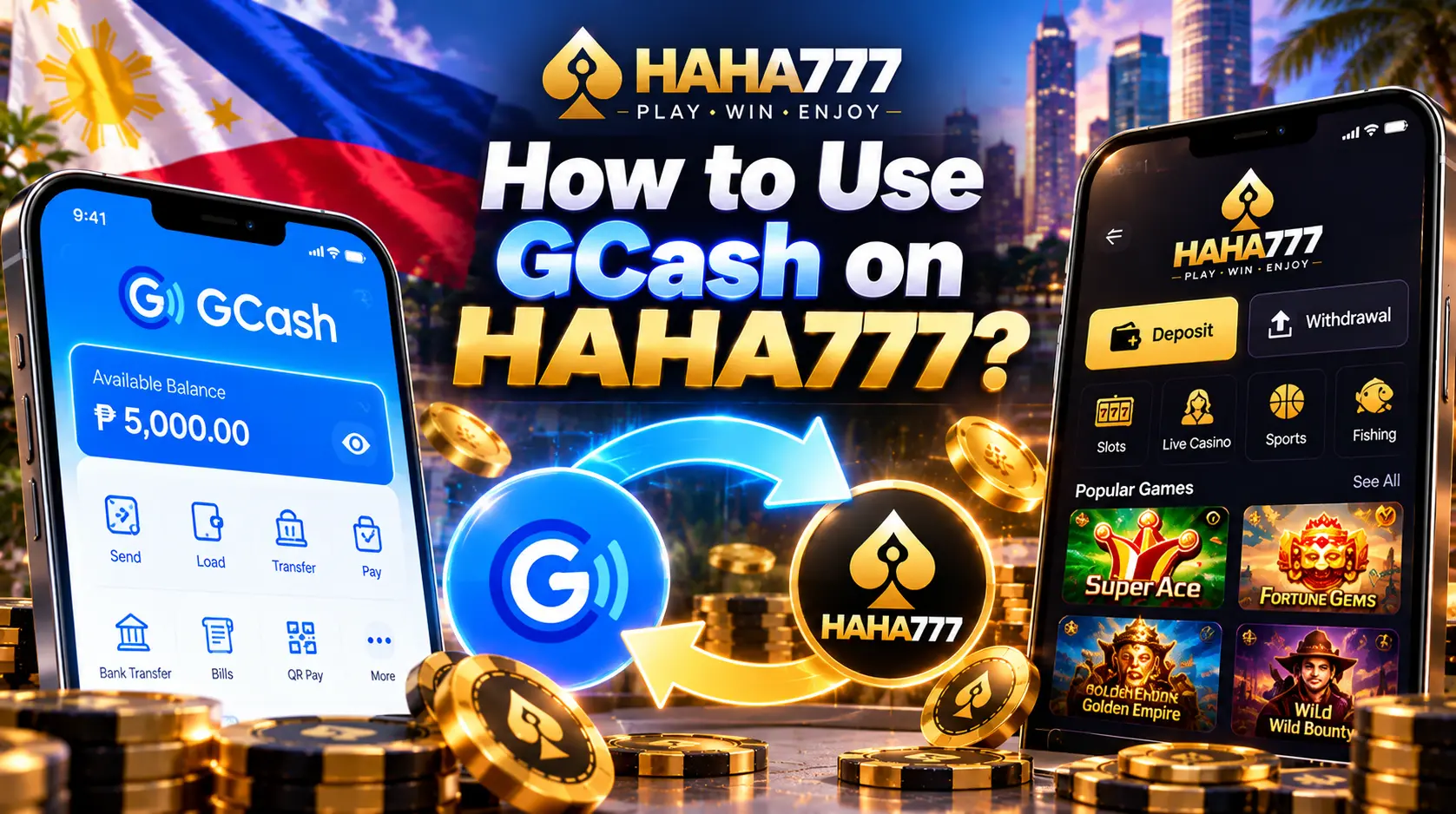
HAHA777 online casino offers various payment methods to deposit and withdraw money. The most used payment methods by Filipino players include GCash and Maya. GCash is the main payment option that helps Filipino players worldwide to send and receive money through the mobile wallet. Many players often get stuck when depositing and withdrawing amounts using the payment wallet. So, in this blog post, we are explaining how you can use GCash on HAHA777 to deposit and withdraw money.
What Do You Need to Use GCash on HAHA777?
Get these things ready before you start:
- You need an account to open the payment page.
- Make sure you can log in to your GCash app.
- Use a phone with a stable internet connection.
- Keep your HAHA777 and GCash details ready.
- Check your GCash balance before you send money.
- Check the amount limits and fees on the HAHA777 payment page.
Use the correct details for each payment. Also, keep your GCash MPIN and one-time PIN (OTP) private. Never share these codes with anyone.
How to Deposit Money to HAHA777 with GCash?
To play games on HAHA777, you often require to deposit funds. Happily, the easiest method to make a deposit is using GCash. If you have an active GCash account, follow these steps to deposit money into your HAHA casino account using it.
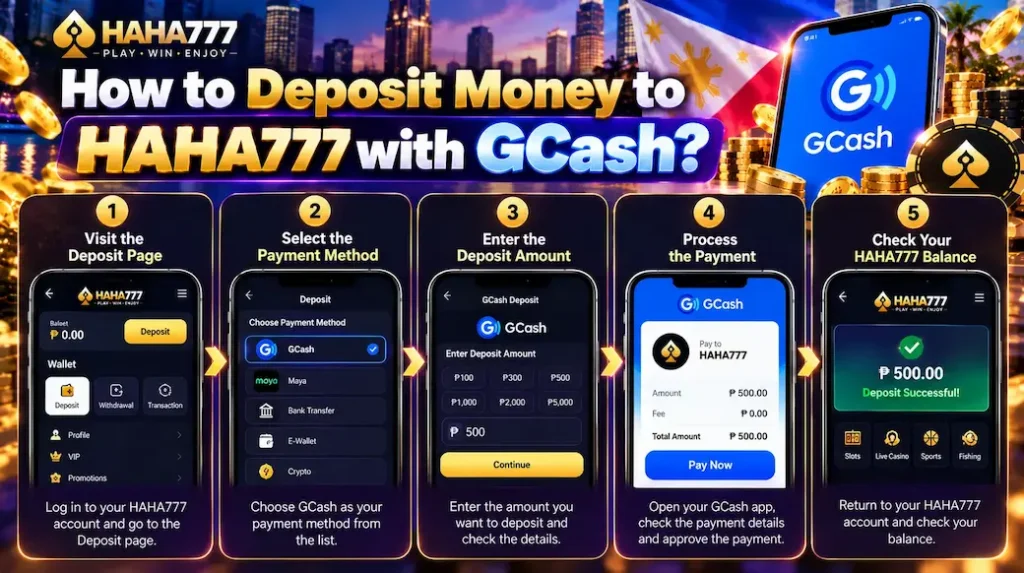
1. Visit the Deposit Page
Log in to your HAHA777 account and visit the login page. You will find it inside the payments section. If you are new to our platform, read how to register for an HAHA777 account.
2. Select the Payment Method
Once you are in the deposit payment settings, look for the payment methods option and click on it. Among the list of available payment methods, choose GCash as your primary method and follow the instructions on the screen to connect your account.
3. Enter the Deposit Amount
After connecting your GCash account with HAHA777, look for the Add Funds or Deposit option. Click on that and then enter the amount you want to add to your HAHA777 account.
Check the amount before you go on. Also, review the deposit limit and any fee shown on the page. Make sure you have enough money in your GCash wallet to cover the payment.
4. Process the Payment
Open your GCash app when the payment process asks you to do so. Check the amount and payment details. Then, approve the payment in line with the steps shown on your screen.
Use only the payment details shown by HAHA777. Check them before you send money. Never send money to a person or account that you do not know.
5. Check Your HAHA777 Balance
After you make the payment, return to your HAHA777 account. Check your balance and payment status. Your deposit should show after the payment goes through. The time depends on the payment process.
Contact HAHA777 support if your GCash payment is complete, but your HAHA777 balance does not update for longer.
How to Withdraw Money to GCash from HAHA777?
Follow these steps to request a withdrawal to your GCash wallet.
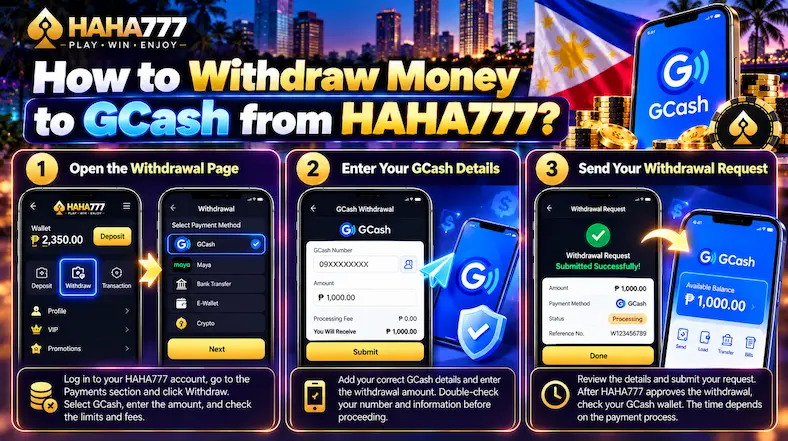
1. Open the Withdrawal Page
Log in to your HAHA777 account and visit the Payments section. Find the Withdraw option and click on it. Select GCash as your payment method from the list of options.
Enter the amount you want to withdraw. Check the minimum and maximum withdrawal limits. Review any fees or rules shown on the page before you send your request.
Make sure the amount meets the rules for your account. Also, check any bonus rules that apply to your balance before you request a withdrawal.
2. Enter Your GCash Details
Add the GCash details asked for on the HAHA777 payment page. Check your GCash number and other details before you move on. A wrong number can cause payment problems.
Make sure the details match the rules shown on the page. Do not send your GCash MPIN or OTP to anyone.
3. Send Your Withdrawal Request
Review the amount and payment details. Once all details are correct, submit your request. HAHA777 checks the request before it sends the money. Follow any steps shown on the screen to confirm your account or payment details.
Open your HAHA777 account and check the withdrawal status. After HAHA777 approves and sends the payment, check your GCash wallet.
The time depends on the payment checks and the payment process. If the money does not arrive, check the status first. Then, contact HAHA777 support for help.
Conclusion
Using GCash on HAHA777 is very easy. Simply log in to your account and visit the payments section. If you want to add an amount, click the Deposit option. If you want to withdraw your winnings, simply click the withdrawal option.
Follow the steps shown on the screen and choose GCash as the payment method when asked for. Enter your GCash account details when HAHA777 asks you to and proceed. Once your payment is approved, HAHA777 will deposit or withdraw money from your account.
In case a transaction takes longer to complete or encounters an error, get in touch with HAHA777 support via the official website or mobile app.